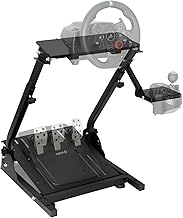
Stepping into the world of sim racing can be daunting, with a vast array of hardware promising to deliver the ultimate driving experience. For many enthusiasts, the journey begins not with a multi-thousand-dollar direct-drive setup, but with a reliable, accessible force-feedback wheel. The Logitech G920 Driving Force has long been a cornerstone of this entry-level and intermediate market. This comprehensive review will delve into every aspect of the G920, from unboxing and setup to its nuanced performance on track, helping you decide if it's the right wheel to accelerate your virtual racing career.
Unboxing and First Impressions: A Solid Foundation
Right out of the box, the Logitech G920 conveys a sense of quality. The core component is the wheel itself, featuring a stitched leather cover that provides a comfortable and premium grip. It's mounted on a solid, mostly metal housing that feels built to last. The package includes the three-pedal set (accelerator, brake, clutch) with a built-in carpet grip system, a sturdy table clamp, and the necessary power and connectivity cables. The inclusion of a clutch pedal immediately sets it apart from more basic wheels, signaling its intent for a more serious driving experience. The overall build quality inspires confidence, a crucial factor for a device that will endure hours of intense use.
Setup and Compatibility: Plug and Play Simplicity
One of the G920's greatest strengths is its straightforward setup. For PC and Mac users, it's largely a plug-and-play affair. Connect the power supply, plug the USB cable into your computer, and secure the wheel to your desk using the robust clamp. The pedals connect directly to the wheel base. For Xbox Series X|S and Xbox One consoles, the process is identical, using the proprietary connector. The wheel is officially licensed for Xbox, ensuring full native compatibility without the need for additional software tricks. This ease of setup lowers the barrier to entry, allowing you to focus on driving rather than troubleshooting. For those looking to expand their sim racing gear collection, the G920 serves as a perfect central hub.
Software and Customization: Logitech G HUB
On PC, the Logitech G HUB software unlocks the full potential of the G920. Here, you can create and manage custom profiles for different games. Key adjustments include the overall rotation angle (from 90 to 900 degrees), the strength of the force feedback effects, and the centering spring intensity. You can also fine-tune the pedal response curves, which is particularly useful for dialing in the brake pedal to your preference. While the out-of-the-box settings are good for most games, spending time in G HUB to match the wheel's feel to a specific sim like iRacing, Assetto Corsa, or Forza Motorsport can dramatically improve immersion and control.
In-Depth Performance Analysis: The Heart of the Experience
Force Feedback: Feeling the Road
The hallmark of any serious racing wheel is its force feedback (FFB) system. The G920 employs a dual-motor, gear-driven mechanism. While not as smooth or powerful as a belt-driven or direct-drive wheel, it provides a very effective and detailed feedback experience for its price point. You can clearly feel understeer as the wheel goes light, catch slides through counter-steering forces, and experience road texture and curb strikes. The force is strong enough to be immersive and provide necessary information but rarely becomes overwhelming or noisy. It strikes an excellent balance, delivering the critical tactile cues needed for car control without the complexity or cost of higher-end systems. This capable force feedback system is what makes the G920 a perennial favorite.
Pedal Set: The Importance of the Brake
The three-pedal set is a significant upgrade over two-pedal configurations. The accelerator and clutch are linear and light, with a consistent feel. The star of the show is the progressive resistance brake pedal. It uses a built-in elastomer spring that makes it progressively harder to press, simulating the hydraulic pressure of a real brake system. This allows for much more precise modulation of braking force compared to a simple linear spring, which is essential for trail-braking and finding the limit of adhesion. For absolute realism, the brake feel can be further modified with aftermarket elastomer kits, a popular upgrade in the community.
Build and Ergonomics During Use
During extended sessions, the G920 remains comfortable. The leather-wrapped wheel is 11 inches in diameter, a good size that feels natural. The paddle shifters, made from stainless steel, have a satisfying, crisp “click” with every shift. The face of the wheel includes Xbox guide and menu buttons, plus a D-pad and other controls that are conveniently mapped in supported games. The main limitation of the gear-driven system is a slight “notchy” feeling when turning the wheel slowly, and some audible gear noise during high-force feedback events. However, when you're focused on hitting the apex, these minor points fade into the background.
Game Performance and Real-World Application
The true test of any racing wheel is its performance across different titles. On the Xbox platform, in games like Forza Horizon 5 and Forza Motorsport, the G920 works seamlessly, with preset force feedback profiles that work well. On PC, the open ecosystem allows for incredible depth. In serious simulations like iRacing or rFactor 2, the wheel communicates tire slip and weight transfer effectively, allowing for competitive lap times. In more arcade-style or simcade titles, it simply makes the experience more fun and engaging. The full 900-degree rotation is perfect for truck simulators or drifting, where large steering inputs are necessary. Whether you're chasing esports glory or just enjoying a Sunday drive in a vintage car, the G920 adapts.
Who is the Logitech G920 For? Identifying the Ideal User
The Logitech G920 is not trying to be a direct-drive wheel. Its value proposition is crystal clear. It is the ideal choice for: New sim racers looking for their first force-feedback wheel without a massive investment. Console gamers on Xbox who want a licensed, reliable upgrade from a controller. PC enthusiasts who want a great all-rounder for a mix of simulation and fun racing games. Space-constrained users who need a wheel that clamps securely to a desk and can be stored away easily. If you fall into any of these categories, the G920 represents arguably the best value and most proven package on the market.
Long-Term Reliability and Community Support
Logitech's reputation for building durable peripherals extends to the G920. With proper care, it can provide years of service. The internal gears are robust, and the motors are designed for long-term use. A vast online community surrounds this wheel and its sibling, the G923. This means a wealth of knowledge is available for troubleshooting, custom settings for every game imaginable, and guides for maintenance or even modifications. From replacing pedal springs to creating custom wheel rims, the support ecosystem is a huge intangible benefit that extends the life and enjoyment of the product.
Final Verdict: A Timeless Entry Point
Years after its release, the Logitech G920 Driving Force remains a top recommendation. It delivers a compelling, immersive force-feedback experience, a crucial clutch pedal, and robust construction at an accessible price point. Its plug-and-play compatibility with Xbox and PC makes it incredibly versatile. While it lacks the ultimate smoothness and power of higher-tier wheels, it offers about 90% of the functional experience for a fraction of the cost. For anyone ready to move beyond a gamepad and seriously engage with racing simulators, the Logitech G920 is not just a good first wheel—it's a capable piece of driving simulator equipment that can serve you well for countless racing miles. It earns its place as a foundational tool in the sim racing world.