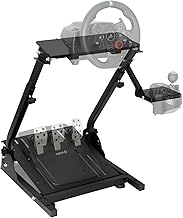
For sim racing enthusiasts, the immersion factor is everything. Feeling the road through a force feedback wheel, hearing the engine roar, and executing a perfect downshift are what separate a good experience from a great one. If you're a proud owner of a Logitech G920 wheel, you've already taken a massive step towards that realism. However, to unlock the full potential of your virtual driving, adding a dedicated gear shifter is a game-changing upgrade. This guide dives deep into how the Driving Force Shifter can elevate your Logitech G920 setup from a competent controller to a comprehensive racing cockpit.
The Driving Force Shifter is an officially licensed accessory designed specifically for Logitech's G-series wheels, including the G29, G920, and G923. Its primary purpose is to provide a physical, six-speed plus reverse H-pattern gearbox, complete with a realistic metal knob and a satisfying, mechanical throw. While the G920's wheel itself comes with paddle shifters, they simply can't replicate the tactile joy and skill requirement of mastering a manual H-pattern or sequential shifter. This accessory plugs directly into your wheel base, making it a seamless addition to your existing sim racing gear.
Why Add a Shifter to Your Logitech G920?
You might wonder if a shifter is necessary when your wheel has paddles. The answer lies in the type of immersion and control you seek. Paddle shifters are fantastic for modern Formula and GT cars, but for classic muscle cars, vintage racers, rally cars, or even big rigs, an H-pattern shifter is authentic. It forces you to master clutch control (when used with a three-pedal set), heel-and-toe downshifting, and prevents you from mindlessly clicking through gears. It adds a layer of challenge and satisfaction that significantly deepens the simulation experience. For games like Assetto Corsa, iRacing, Euro Truck Simulator 2, and the Forza Horizon series, a shifter opens up a new world of driving styles.
Unboxing and Physical Setup
The Driving Force Shifter arrives ready to mount. It features a sturdy, weighted base with pre-drilled holes for permanent mounting to a racing rig or desk. For temporary setups, the strong suction cups provide impressive stability on smooth surfaces. The connection is straightforward: a single RJ12 cable plugs directly into the dedicated port on the back of your Logitech G920 wheel base. No external power or USB connections are needed for console use, making it incredibly plug-and-play. On PC, you may need to install the latest Logitech G HUB software to ensure proper calibration and button mapping.
Compatibility: More Than Just the G920
While our focus is on enhancing the Logitech G920, it's worth noting the shifter's broad compatibility. It works natively with the G920 (for Xbox and PC), the G29 (for PlayStation and PC), and the newer G923 for both platforms. This cross-compatibility is a huge benefit if you ever upgrade your wheel or play across multiple ecosystems like PlayStation 5, Xbox Series X|S, or PC. It's a versatile piece of PC gaming accessory that grows with your hobby.
In-Game Configuration and Calibration
Once physically connected, you need to configure it within your racing game. Most modern sims automatically detect the shifter when it's plugged into the wheel. Navigate to the game's control settings. You'll typically need to assign the gear positions: 1st through 6th gear, and reverse (often engaged by pushing down on the stick and selecting a gear). For PC users, the Logitech G HUB software allows for advanced customization, such as changing the shifter's mode from H-pattern to sequential. In sequential mode, pushing forward shifts up and pulling back shifts down, which is ideal for rally or certain race cars.
Mastering the Art of the Manual Shift
Using the shifter effectively is a skill. Start in a slower car on a simple track. The key is synchronizing your clutch pedal (from the G920's three-pedal set) with the shifter movement. Practice finding the "bite point" of the clutch. A pro tip for realism: many simulators model gear grinding and engine damage. Avoid this by ensuring you're fully depressing the clutch before moving the shifter and not over-revving during shifts. Learning rev-matching for downshifts will make your driving smoother and faster. This hands-on control is what transforms the Driving Force Shifter from a simple racing wheel shifter into a core component of your driving skill.
Real-World Performance and Feel
The shifter delivers a solid, mechanical feel. The throws are positive and have a satisfying "clunk" as they engage each gate. The metal knob feels cool and substantial in your hand. While it's not a $500 high-end sim racing component, it offers exceptional value and durability for its price point. The build quality matches the G920 wheel, ensuring it can withstand enthusiastic use. For those looking to add even more immersion, the shifter can be easily modified with aftermarket knobs to personalize your setup further.
Conclusion: Is the Driving Force Shifter Worth It?
Absolutely. If you own a Logitech G920 and are serious about expanding your sim racing horizons, the Driving Force Shifter is the most logical and impactful next purchase. It bridges the gap between entry-level and intermediate sim gear. It unlocks authentic driving experiences in a wide range of vehicles and games, adding both fun and a rewarding skill ceiling. By integrating this dedicated force feedback shifter (in terms of its mechanical feedback) into your setup, you're not just buying an accessory; you're investing in a more complete and immersive simulation. Ready to shift your experience into high gear? Explore the official product page to see how it can complete your racing rig.